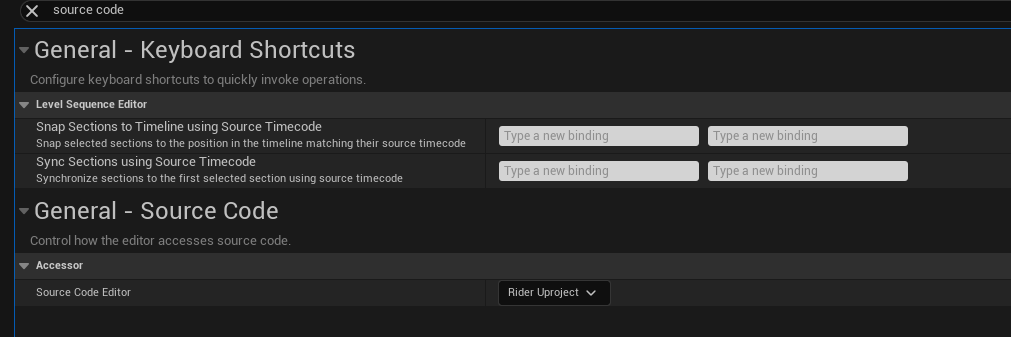
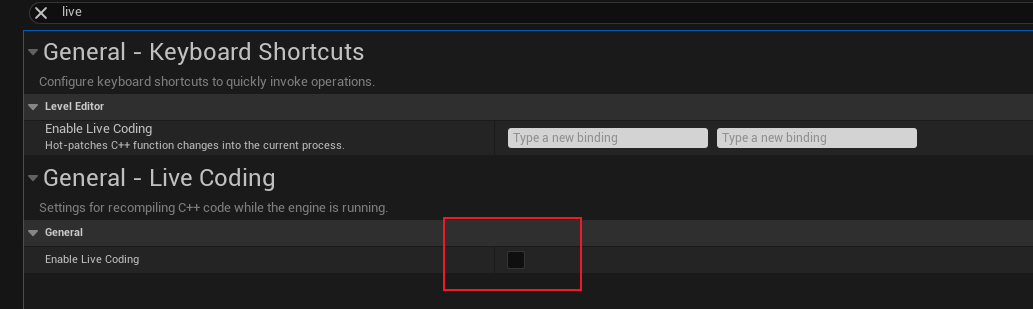
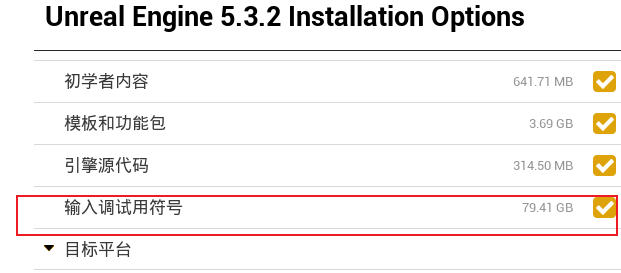
1. Create Project 项目设置:
2. 类 2.1 代码结构
AuraCharacter.cppTObjectPtr:UE5 新增指针类型,相比 UObject* 更好地支持 GC 与序列化。AuraCharacterBase:Character 基类,创建了 Weapon 的骨骼网格组件,同时声明了 Weapon 挂接点。AuraCharacter:主角类。AuraEnemy:敌人类的父类,继承自 AuraCharacter。
2.2 蓝图
BP_Aura_CharacterABP_Aura_CharacterABP_Enemy:敌人动画蓝图模板基类,不需要指定骨骼,不同敌人复用其中的动画播放速度逻辑。ABP_Goblin_Slingshot:设置指定敌人持有 Slingshot 的动画。ABP_Goblin_Spear:设置指定敌人持有 Spear 的动画。
3. 增强输入 参考文档:https://dev.epicgames.com/documentation/zh-cn/unreal-engine/configure-character-movement-with-cplusplus-in-unreal-engine?application_version=5.6
3.2 创建 IA 和 IMC
IA_Move:设置输入值类型(float / bool / vector2 / vector3)。IMC_...:设置 IA_Move 的按键(WASD)及 modifier。
Swizzle Input Axis Values。
3.3 AuraPlayerController
Enhanced Input system:用于管理 IA 与 IMC。
获取 Enhanced Input system 并添加 IMC。
在 SetupInputComponent() 中绑定 IA_Move 与 Move。
绑定示例:
1 EnhancedInputComponent->BindAction(MoveAction, ETriggerEvent::Triggered, this, &AAuraPlayerController::Move);
3.4 绑定 IA_Move 到 Move 响应函数 1 2 3 4 5 6 7 8 9 10 11 12 13 14 15 16 17 18 19 20 21 22 23 void AAuraPlayerController::SetupInputComponent () Super::SetupInputComponent (); UEnhancedInputLocalPlayerSubsystem* Subsystem = ULocalPlayer::GetSubsystem <UEnhancedInputLocalPlayerSubsystem>(GetLocalPlayer ()); UInputMappingContext* IA_Move = LoadObject <UInputMappingContext>( nullptr , TEXT ("InputMappingContext'/Game/Input/IMC_Move.IMC_Move'" )); if (Subsystem && IA_Move) { Subsystem->AddMappingContext (IA_Move, 0 ); } UEnhancedInputComponent* EnhancedInputComponent = Cast <UEnhancedInputComponent>(InputComponent); if (EnhancedInputComponent && MoveAction) { EnhancedInputComponent->BindAction (MoveAction, ETriggerEvent::Triggered, this , &AAuraPlayerController::Move); } }
1 2 3 4 5 6 7 8 9 10 11 12 13 14 15 16 void AAuraPlayerController::Move (const FInputActionValue& InputActionValue) const FVector2D InputAxisVector = InputActionValue.Get <FVector2D>(); const FRotator Rotation = GetControlRotation (); const FRotator YawRotation (0.f , Rotation.Yaw, 0.f ) const FVector ForwardDirection = FRotationMatrix (YawRotation).GetUnitAxis (EAxis::X); const FVector RightDirection = FRotationMatrix (YawRotation).GetUnitAxis (EAxis::Y); if (APawn* ControlledPawn = GetPawn <APawn>()) { ControlledPawn->AddMovementInput (ForwardDirection, InputAxisVector.Y); ControlledPawn->AddMovementInput (RightDirection, InputAxisVector.X); } }
Game Mode
GameModeBase 类:C++ AuraGameModeBase,蓝图 BP_Aura_GameMode,设置默认 Pawn 和 Controller。在 World Settings 中设置 GameMode。
在 BP_AuraCharacter 中设置弹簧臂与相机。
在 AuraCharacter 中设置角色朝向为移动方向。
ABP_Aura 动画状态机:根据速度在 idle/run 之间切换。
Enemy Interface 1 2 3 4 5 6 7 graph LR A[AuraPlayerController] -->|Hover Over| B[BP_Goblin_Spear] A -->|Hover Over| C[BP_Goblin_Slingshot] B --> D[Actor] C --> D D --> E[IEnemyInterface] E --> F[Highlight]
1 2 3 4 5 6 7 8 9 10 11 12 13 14 15 16 17 18 19 20 21 22 23 24 25 26 27 28 29 30 31 32 33 34 35 36 37 classDiagram %% Character 的基类 class AAuraCharacterBase { +Weapon +AAuraCharacterBase() 创建了一个 Weapon 的骨骼网格组件,同时声明了 Weapon 挂接点 } AAuraCharacterBase <|-- AAuraCharacter AAuraCharacterBase <|-- AAuraEnemy AAuraEnemy <|-- BP_Enemy class AAuraCharacter { -AAuraCharacter() } AAuraCharacter <|-- BP_AuraCharacter class AAuraEnemy { +bool is_wild +HighlightActor() +UnHighlightActor() } class EnemyInterface { <<interface>> EnemyInterface +HighlightActor() +UnHighlightActor() } EnemyInterface <|-- AAuraEnemy class AAuraPlayerController { +AAuraPlayerController() -PlayerTick() -BeginPlay() 初始化增强输入 -SetupInputComponent() 设置输入 #CursorTrace() #Move() 控制角色移动 #MoveAction #AuraContext #LastActor #ThisActor } class BP_Enemy